
How to Build a Website by Chatting with AI: The 2026 Step-by-Step Guide
Note: This post contains affiliate links. If you click on them and make a purchase, I may receive a small commission at no extra cost to you.

Let’s be honest. Building a website usually sucks. You either spend a fortune hiring a developer who disappears for weeks, or you spend your entire weekend fighting with a “simple” drag-and-drop builder that won’t let you put a button exactly where you want it.
You’ve got a brilliant business idea or a portfolio to show off, but the technical wall is stopping you. Every hour you spend trying to figure out margins, padding, and hosting settings is an hour you aren’t making money. It’s exhausting, and frankly, it’s why most great ideas never leave the “draft” phase.
But the game changed. Imagine sitting on your couch, opening a chat box, and saying, “Hey, build me a sleek portfolio for my AI consulting business,” and then watching it happen in real-time. This isn’t a dream; it’s exactly how to build a website by chatting with AI.
I’ve spent the last week testing a tool called Wegic, and in this Wegic AI website builder review, I’ll show you why the era of “dragging and dropping” is officially dead.
What Exactly is Wegic? (Your New AI Digital Team)
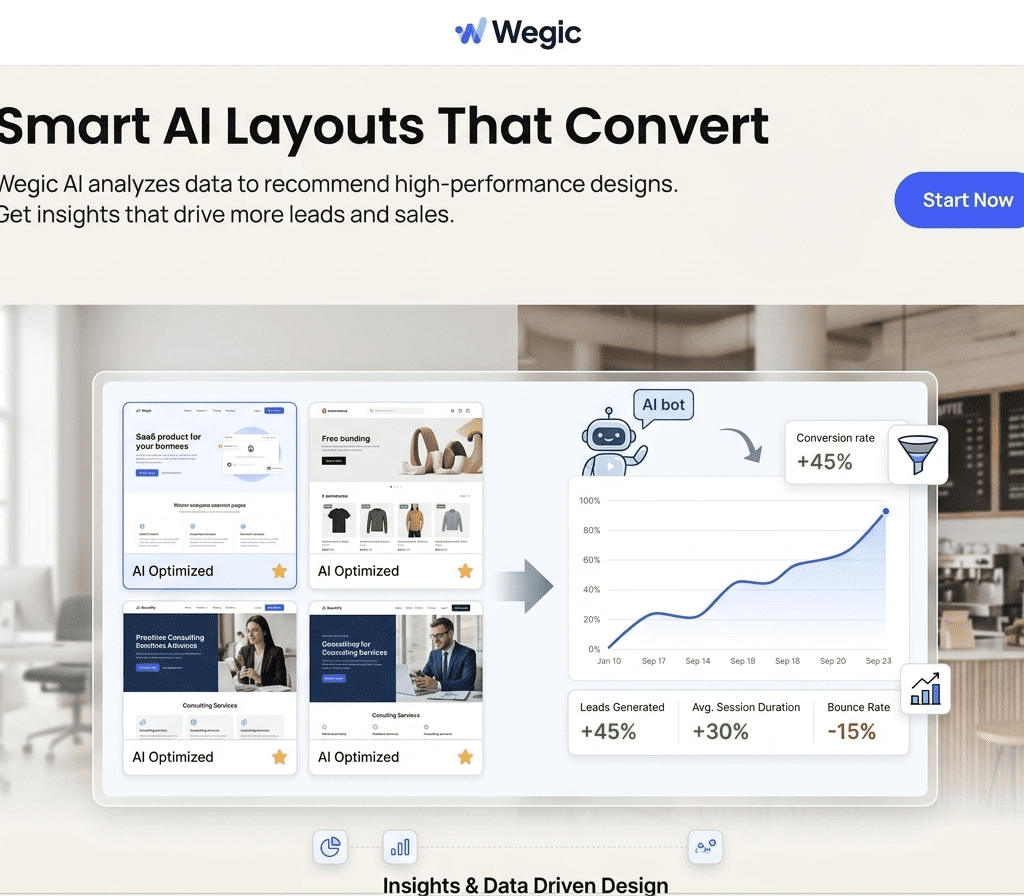
Before we get into the “how-to,” you need to understand what makes this different. Most AI builders just give you a template based on a single prompt. Wegic is different. It functions as a full digital team: an AI Designer, AI Developer, and AI Manager.
When you use it, you aren’t filling out a form; you are having a conversation. It’s like having a top-tier developer on speed dial who actually listens to you and works at the speed of light.
Step 1: Starting the Conversation
To learn how to build a website by chatting with AI, you first have to unlearn everything you know about traditional editors.
I started by simply telling the AI what I needed. I didn’t choose a theme. I didn’t pick a layout. I just typed: “I need a professional landing page for my new AI newsletter. Use a dark theme with neon purple accents.”
The AI didn’t just guess. It asked me follow-up questions. “What is the main goal of the site? Do you want a signup form or a product showcase?” This back-and-forth ensures the final product isn’t a generic template but a tailored business asset.
Ready to chat your website into existence? Try Wegic AI for Free Here
Step 2: Watching the AI Developer Work
This is where it gets fun. Once you’ve defined the goal, the Wegic AI website builder starts generating the structure.
Instead of looking at a blank white screen, I saw sections popping up. The AI Designer chose the typography, the AI Developer handled the responsive code, and the AI Manager ensured the flow made sense.
The coolest part? If I didn’t like a specific section, I didn’t have to go into a “settings” menu. I just typed: “Make the header text bigger and move the ‘About Me’ section above the ‘Services’ section.” Boom. Done. No dragging, no snapping to grids, no frustration.
Step 3: Real-Time Refinement and Management
Most people think that once the site is generated, the AI is finished. Nope. Because Wegic acts as an AI Manager, it stays with you.
I wanted to add a blog section later on. Usually, that’s a nightmare in a rigid builder. With this conversational interface, I just asked for it.
- Personal Tip: Be specific in your chat. Instead of saying “make it look better,” say “make the colors more vibrant” or “add more white space between these paragraphs.” The more you treat it like a human assistant, the better the results.
Wegic AI Website Builder Review: The Pros and Cons
I’ve used everything from WordPress to Framer. Here is my honest take on where Wegic stands in 2026.
The Pros:
- Zero Learning Curve: If you can send a text message, you can build a site.
- High-End Design: The AI doesn’t just put blocks together; it understands modern design aesthetics.
- Speed: I went from a blank screen to a live URL in exactly 12 minutes.
- No “Drag-and-Drop” Stress: Everything is managed via the chat interface, which is the best AI tool for non-techies.
The Cons:
- Limited Custom Coding: If you are a hardcore coder who wants to tweak every line of CSS, you might feel a bit restricted.
- Internet Dependent: Since it’s a live AI agent, you need a stable connection to keep the “conversation” going.
Why You Should Care About “Conversational Web Design”
The reason how to build a website by chatting with AI is trending isn’t just because it’s “cool.” It’s because it’s efficient.
We are moving toward a world where the barrier between an idea and a product is zero. For freelancers in Dubai or entrepreneurs in London, this means you can test a business idea in a single afternoon. If the idea fails, you haven’t lost weeks of work. If it succeeds, you have a professional site ready to take payments.
Stop wasting time on complicated editors. Launch your site with Wegic AI now
Final Thoughts: Is Wegic the Right Choice for You?
If you are a small business owner, a creator, or someone who just hates the technical side of the web, my Wegic AI website builder review is simple: Give it a shot. You don’t need a designer. You don’t need a developer. You just need an idea and the ability to chat. I’ve personally moved three of my smaller projects over to this system because I simply don’t have the patience for manual editing anymore.
By learning how to build a website by chatting with AI, you are future-proofing your workflow. You are choosing speed over struggle. And in the digital world of 2026, speed is the only thing that matters.
Explore our More Job Done With AI TOOLS
Frequently Asked Questions (FAQ)
Q: Is the website mobile-friendly? A: Yes. The AI Developer automatically ensures that every element is responsive across all devices.
Q: Can I use my own domain? A: Absolutely. You can connect your custom domain once you are ready to go live.
Q: Do I need to know any SEO? A: While the AI handles the basic structure, using tools like Rank Math alongside your content will help you reach the top of Google.