
Want to know how to get a viral pin on Pinterest? Stop guessing! Learn the 7 proven strategies to skyrocket your blog traffic without needing big accounts.
Must-have AI tools for freelance automation 2026
Many bloggers treat Pinterest like a “black hole” of mystery, but going viral isn’t about luck—it’s about strategy. If you are tired of spamming links and seeing zero results, it’s time to stop the guesswork.
Don’t forget checkout out Pinterest!
How To Get A Viral Pin On Pinterest Through Clickable Headlines
Your title is your first hook. It determines if a user stops scrolling. Generic titles will fail you. You must be specific to win clicks. Use numbers and promises to grab attention. This is a crucial step to learn How To Get A Viral Pin On Pinterest. Test 3-4 variations to see what works. Please read the 7 steps guide below. It explains the exact strategy for viral success.
1. Eyeball-Grabbing Titles Are Everything
Your title is the first hook. If it’s generic, like “7 Ways To Make Money,” you’ve already lost.
- The Pro Tip: Use specificity. Instead of the above, try: “7 Unique Ways To Earn $5000 Per Month.”
- Action: Test 3-4 variations and analyze which gets more clicks.
2. Quality Images: Paid vs. Free
Pinterest is a Visual Search Engine. Because free stock images are overused, they often blend into the background.
- Why Paid Images? Using platforms like Shutterstock or Depositphotos allows you to find relevant imagery that isn’t already saturating the feed, which can improve your pin’s performance.
3. Aesthetic and Legibility
A pin must look amazing to create urgency.
- Design Tip: Use vertical pins (2:3 ratio) and ensure text is large and easy to read. Use Canva to create high-quality, professional designs for free.

4. Master Your Pin Description (SEO)
Treat your description as a roadmap for the Pinterest algorithm.
- Strategy: Include keyword-rich descriptions to tell the platform exactly who should see your pin. Don’t leave this blank—check the top-performing pins in your niche to see how they integrate keywords.
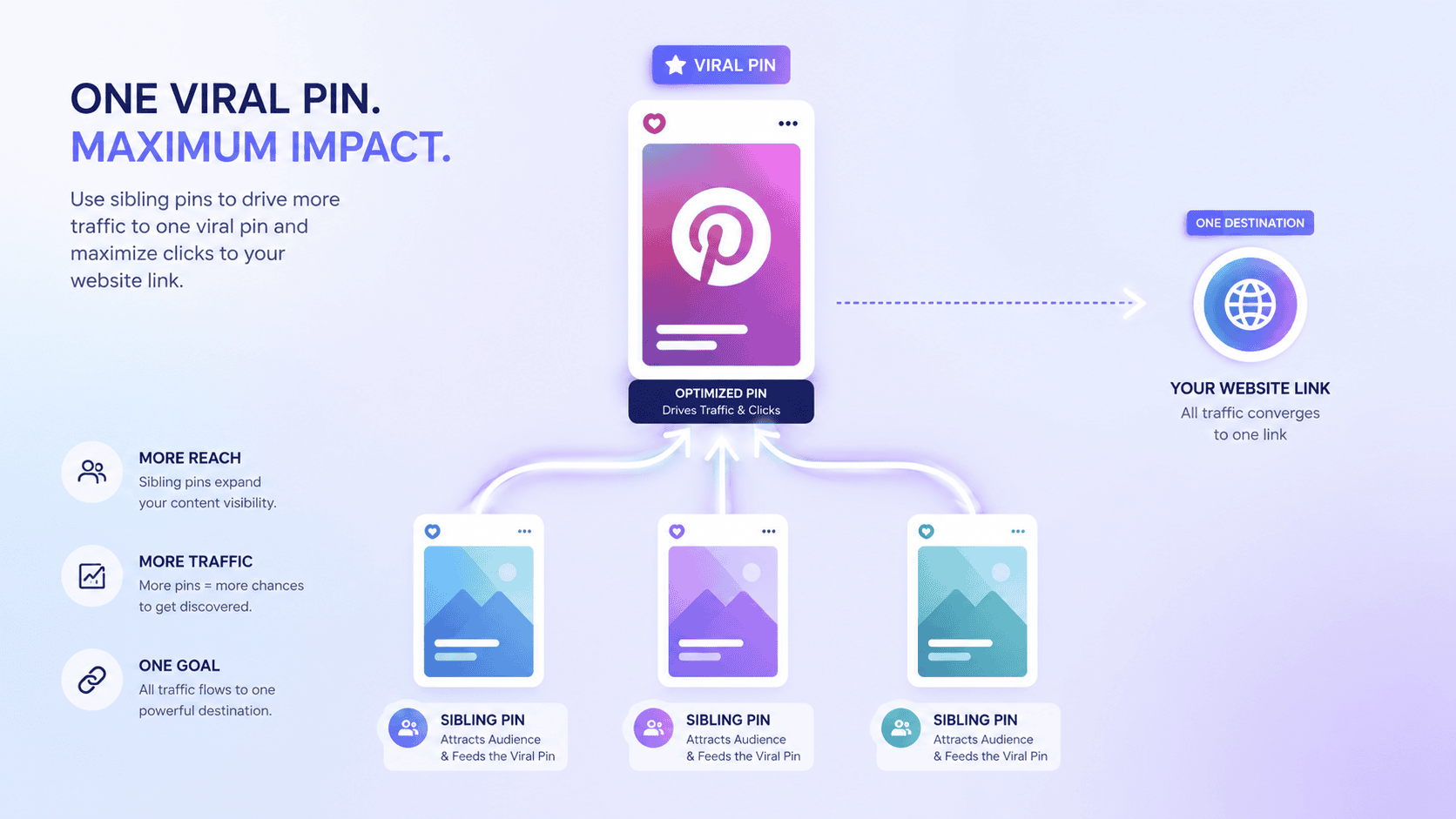
5. The “Sibling Pin” Phenomenon
When one pin starts to take off, create 2-3 “sibling” pins targeting the same URL.
- The Logic: A viral pin creates a “bonus priority” for other pins linked to the same page, helping them gain traction even if they aren’t as visually striking.
6. Manual & Frequent Pinning
While schedulers are useful, Pinterest favors active engagement.
- The Workflow: Pin consistently throughout the day (morning, afternoon, and evening) rather than dumping 95 pins at once.
7. Mind Your Popular Pins
Don’t let your successful pins die. Regularly check your analytics to see which pins are bringing the most traffic and repin them to relevant group boards to keep the momentum going.
To Your Help Must-have AI tools for freelance automation 2026